
Simple Project Management Software
Gantt Chart, Network Diagram, Critical Path, Earned Value Analysis, Cumulative Cost, PERT

Easy Mockups
Our Simple Project Management Software generates charts and diagrams faster and easier than anyone.

Rapid Prototyping
Experience lightning-fast prototyping for Gantt Charts, Network Diagrams, Critical Path, and more.

Export Results
Export charts and tables to SVG to send to team members or take to your next meeting.
Discover the fastest way to generate PM charts
Rapidly generate several different project management charts & analysis
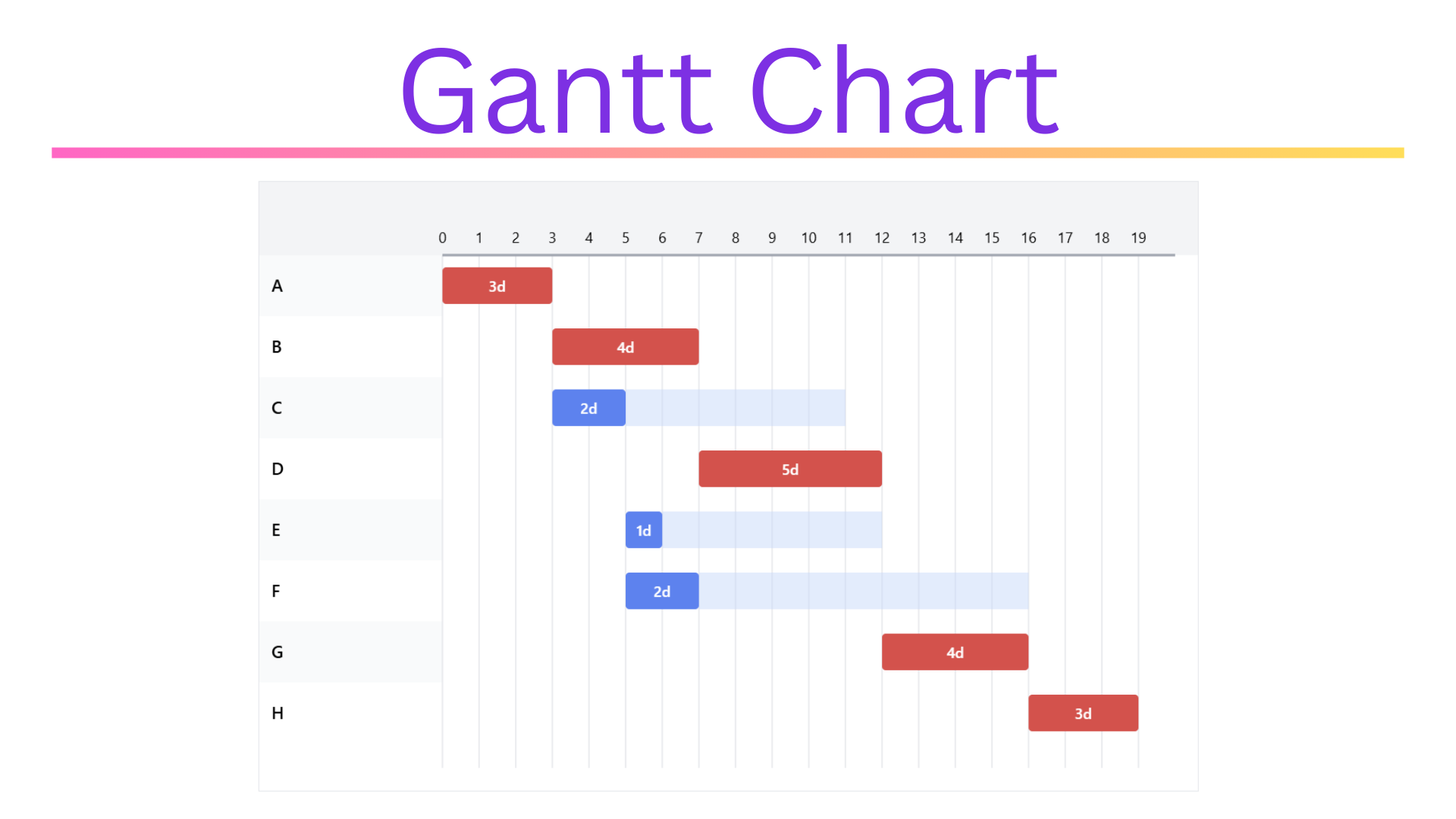
Gantt Chart
Customize the entire website layout, including the header, footer, and all other template parts. With FSE, we can create and edit templates for their entire website, including single posts, archive pages, and custom post types.
Network Diagram
Block patterns are pre-designed block layouts that we can easily insert into their content. These patterns can help to save time and create visually appealing designs. Allows us to create custom themes using the block-based template.
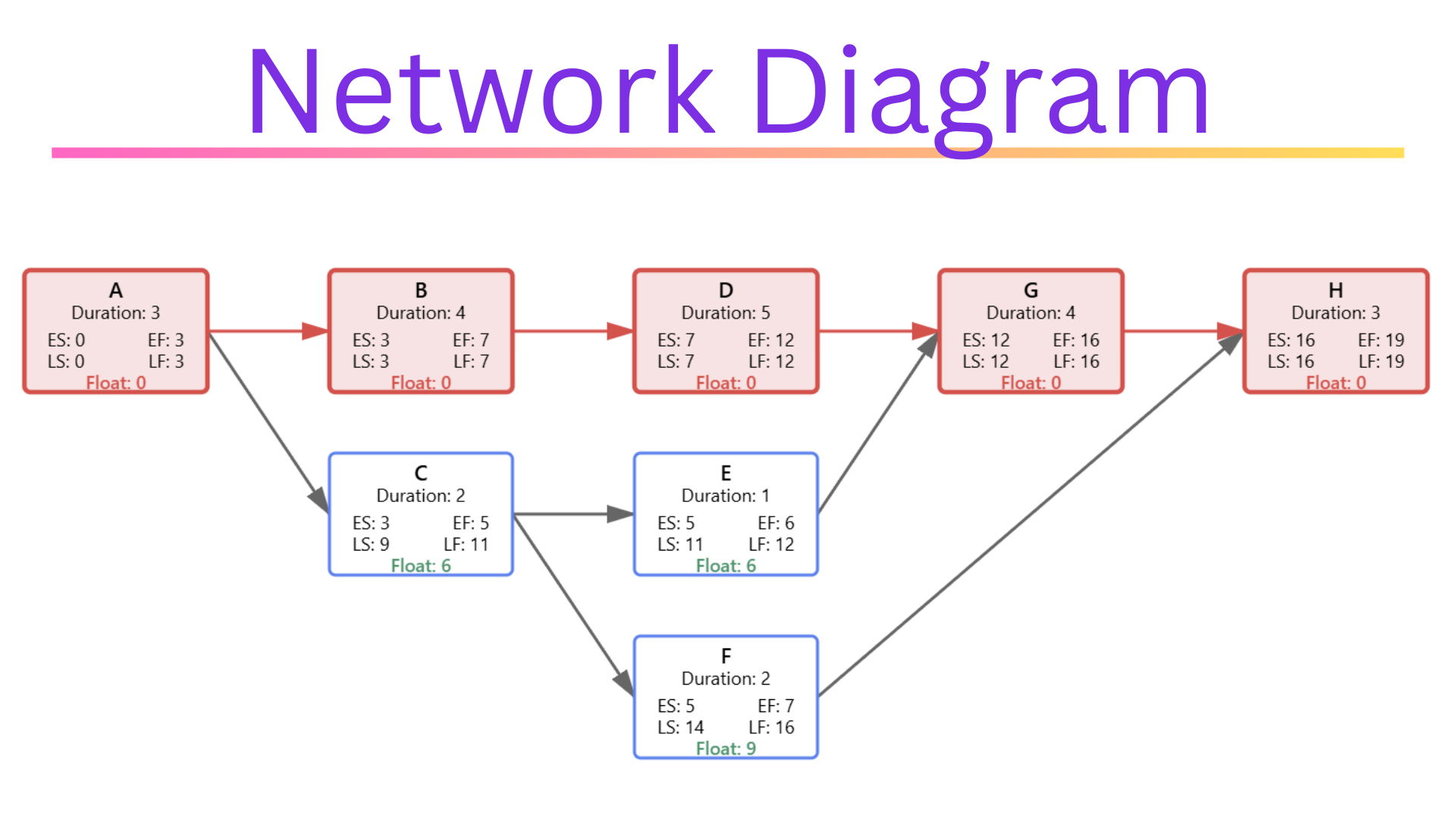
Critical Path
Global styles enable us to create and apply consistent design elements across the entire website, including typography, colors, and spacing. Providing us with more control over our website’s look and feel.
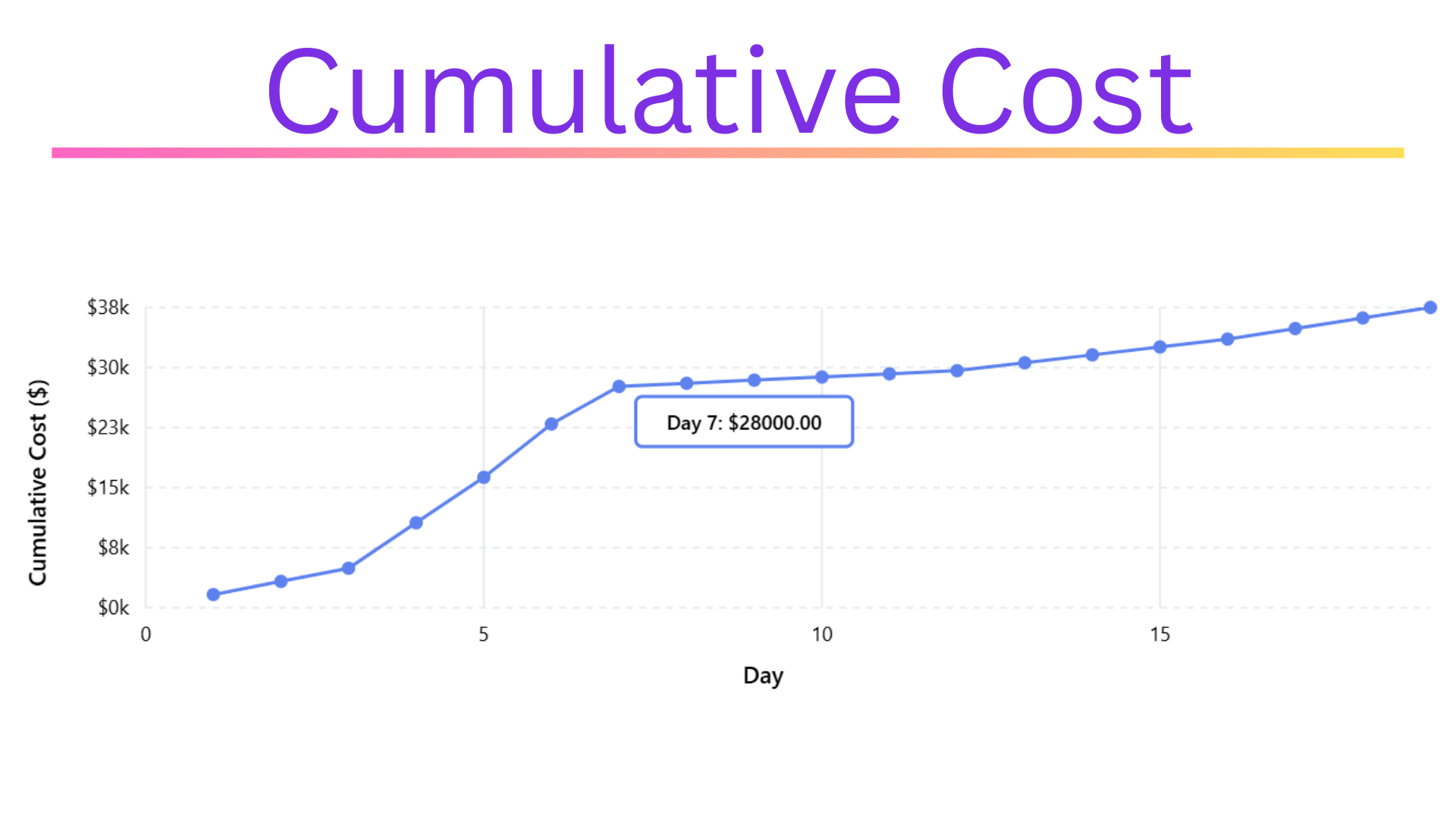
Cumulative Cost Chart
Block patterns are pre-designed block layouts that we can easily insert into their content. These patterns can help to save time and create visually appealing designs. Allows us to create custom themes using the block-based template.
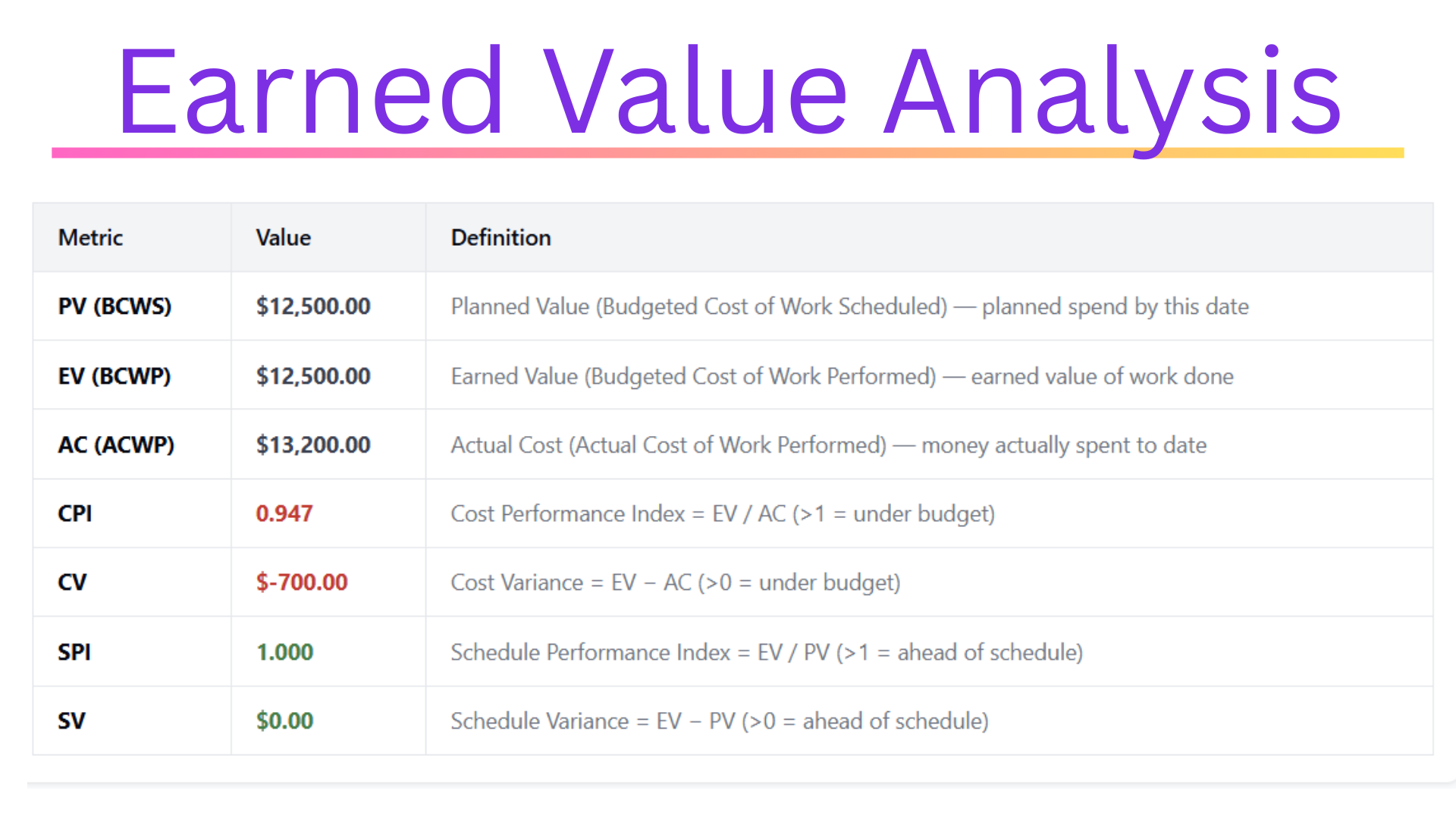
Earned Value Analysis
Global styles enable us to create and apply consistent design elements across the entire website, including typography, colors, and spacing. Providing us with more control over our website’s look and feel.
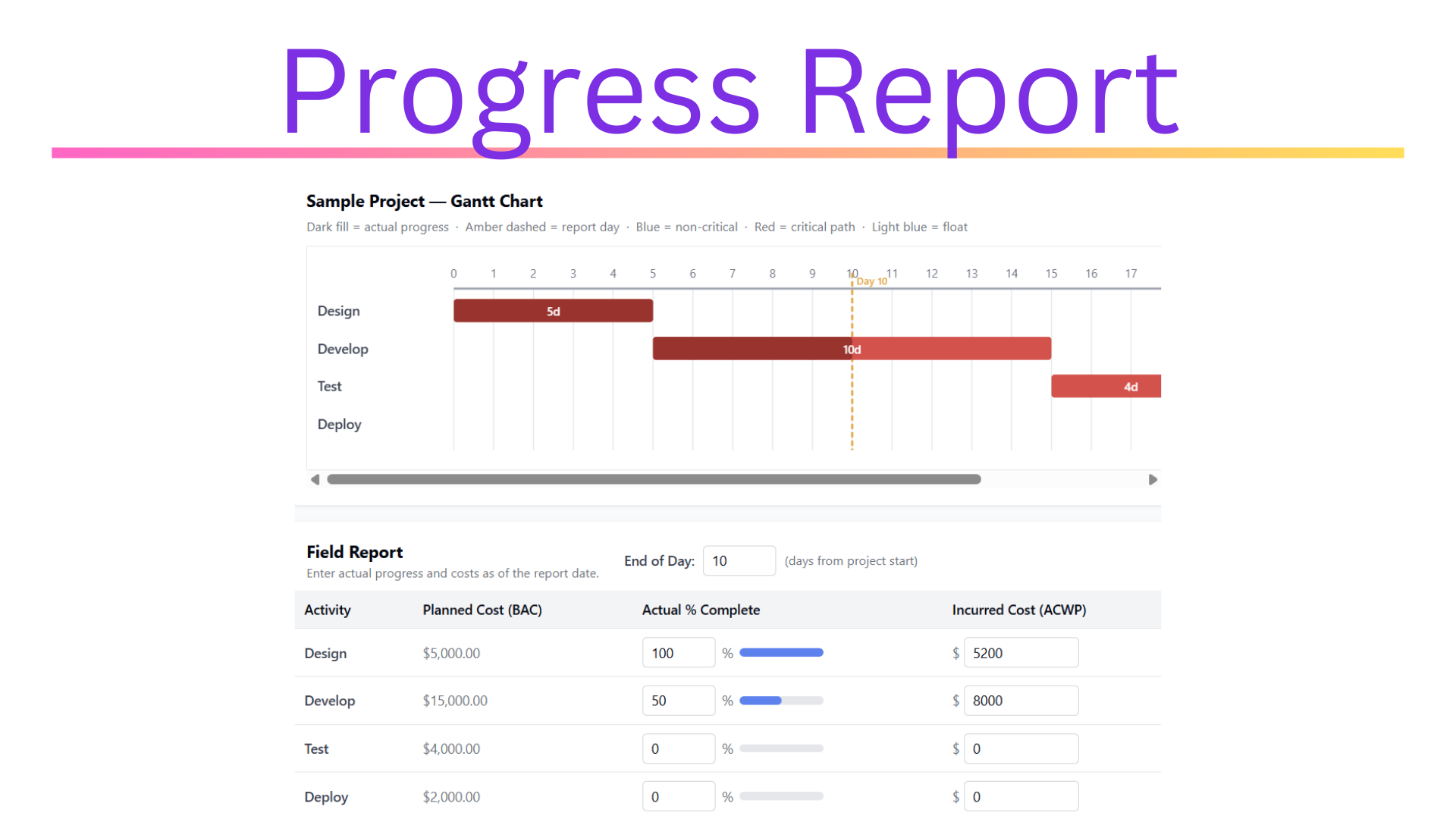
Progress Reports
Global styles enable us to create and apply consistent design elements across the entire website, including typography, colors, and spacing. Providing us with more control over our website’s look and feel.
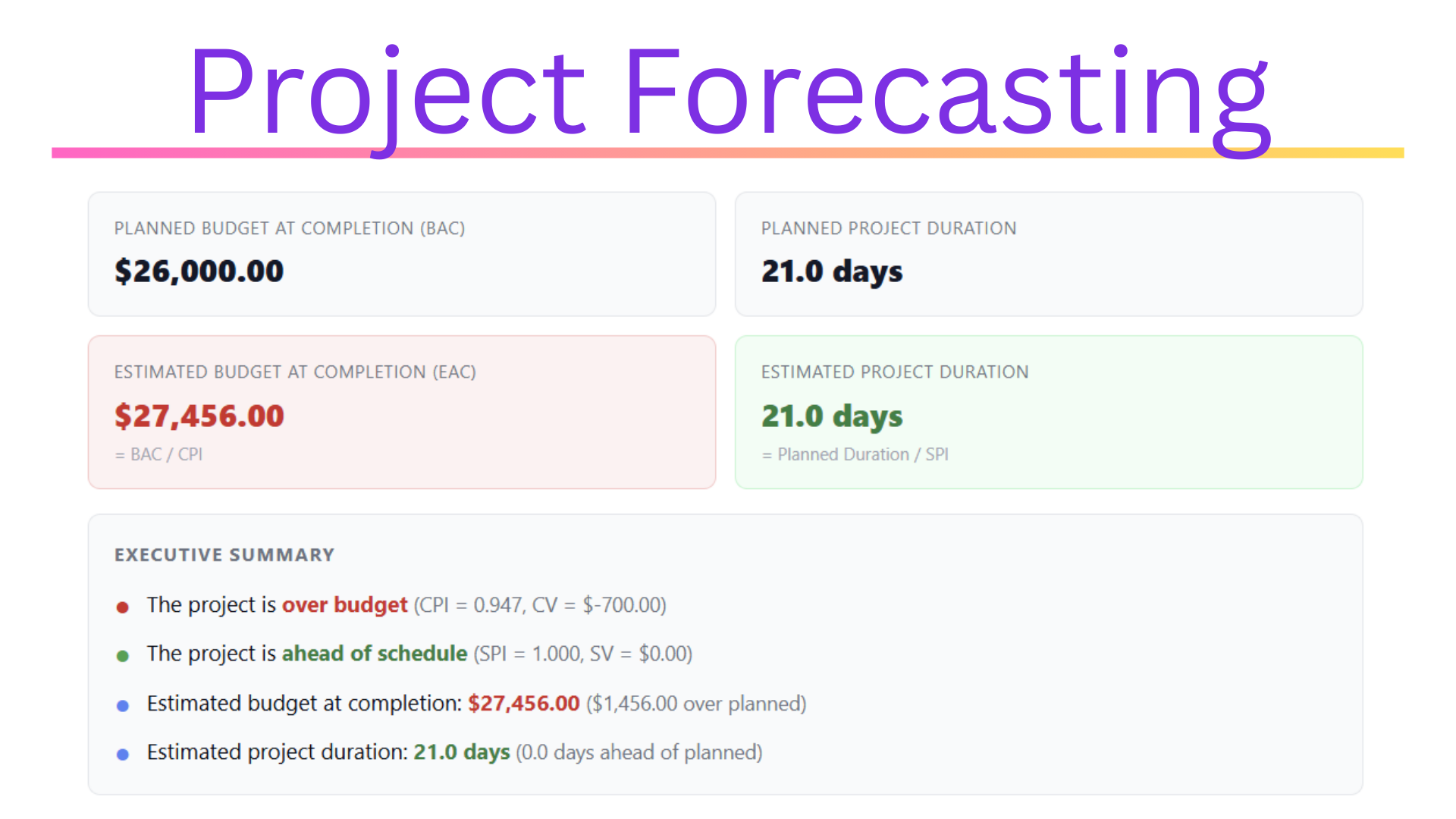
Project Forecasting
Global styles enable us to create and apply consistent design elements across the entire website, including typography, colors, and spacing. Providing us with more control over our website’s look and feel.
Get Lifetime Access
Rapidly Generate Simple Project Management Charts
Brought to you by the creators of






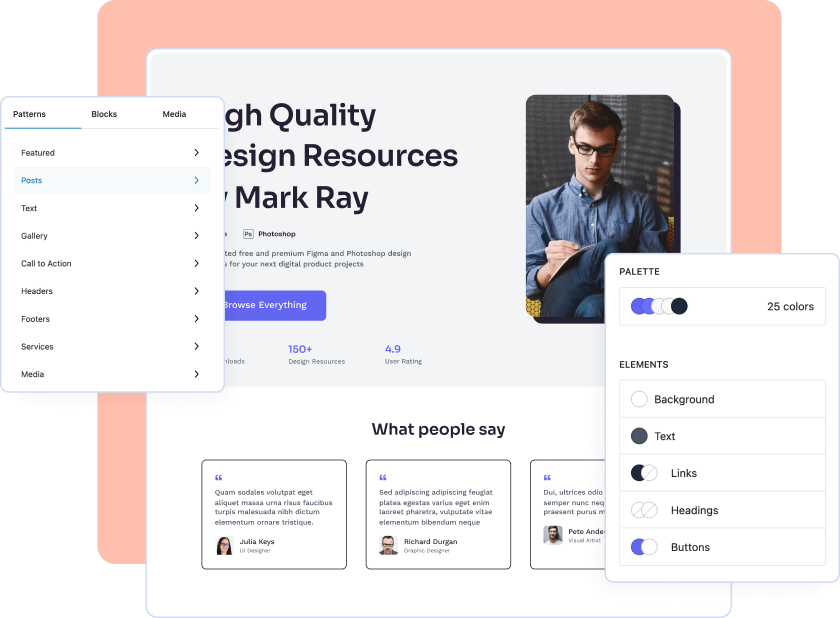
Everything you need to create amazing websites
Interactive design tools and its many customization options to customize anything and everything needed to build the fully-functional website of your dreams.
Frequently Asked Questions
How
Full Site Editing (FSE) is a feature in WordPress that allows users to visually design and customize their entire website, including the header, footer, and other template parts.
What are some benefits of using Full Site Editing?
Full Site Editing provides a more user-friendly, streamlined approach to website design and customization. It allows users to see changes in real-time, provides more control over design elements, and enables developers to create more custom blocks and templates.
Can I use Full Site Editing on my existing WordPress website?
Yes, you can use Full Site Editing on an existing WordPress website by installing a compatible theme that supports the feature.
Do I need to know how to code to use Full Site Editing?
No, Full Site Editing does not require knowledge of coding or web development. The drag-and-drop interface and pre-designed templates make it easy for users to create a professional-looking website without any coding experience.